
Administrator Guide
Collect Logs
Collect Logs: Apps & Services
Collect Logs: Hosting Services
Collect Logs: Integrations
Manage Logs
Send Logs for Analytics
SolarWinds Users & Orgs
Support and Security
What's New
Papertrail can invoke a PagerDuty alert escalation policy, such as to generate text messages.
Read more in a Papertrail blog post.
Papertrail uses the PagerDuty Integration API for this integration.
Follow the steps in Alerts.
From PagerDuty’s “Services” tab, click “Add New Service.” For “Integration Type,” choose “Papertrail” from the dropdown menu. See screenshot below.
After adding the new service, click its settings. Obtain its Service key.
On Papertrail’s Dashboard, find the Papertrail saved search which will notify this PagerDuty service. Click the Edit icon to edit its settings. Click the “Manage Alerts” tab and provide:
Pen test attempt. Freeform.Exploit attempt.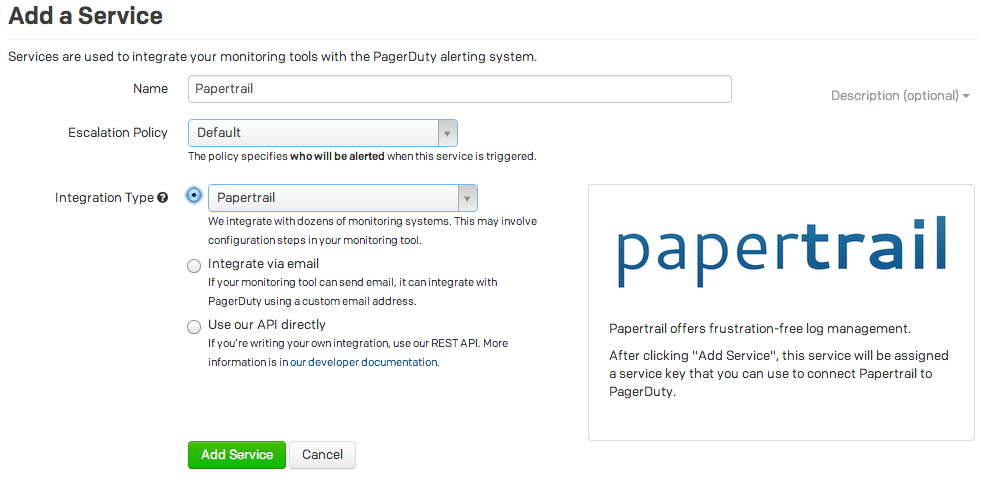
Use %HOST% in the incident key to have Papertrail replace it with the name of the related sender. This permits grouping only alerts from the same sender (typically a system), rather than from all senders. See blog post.

Centralized log management to find and fix issues faster.

© 2026 SolarWinds Worldwide, LLC. All rights reserved.